
The Best Voice Commands for Home Assistant Power Users
Why Smart Home Voice Commands Are a Game-Changer for Busy Households
Smart home voice command technology lets you control lights, locks, thermostats, and more using just your voice — no app-switching, no button-pressing, no getting up from the couch.
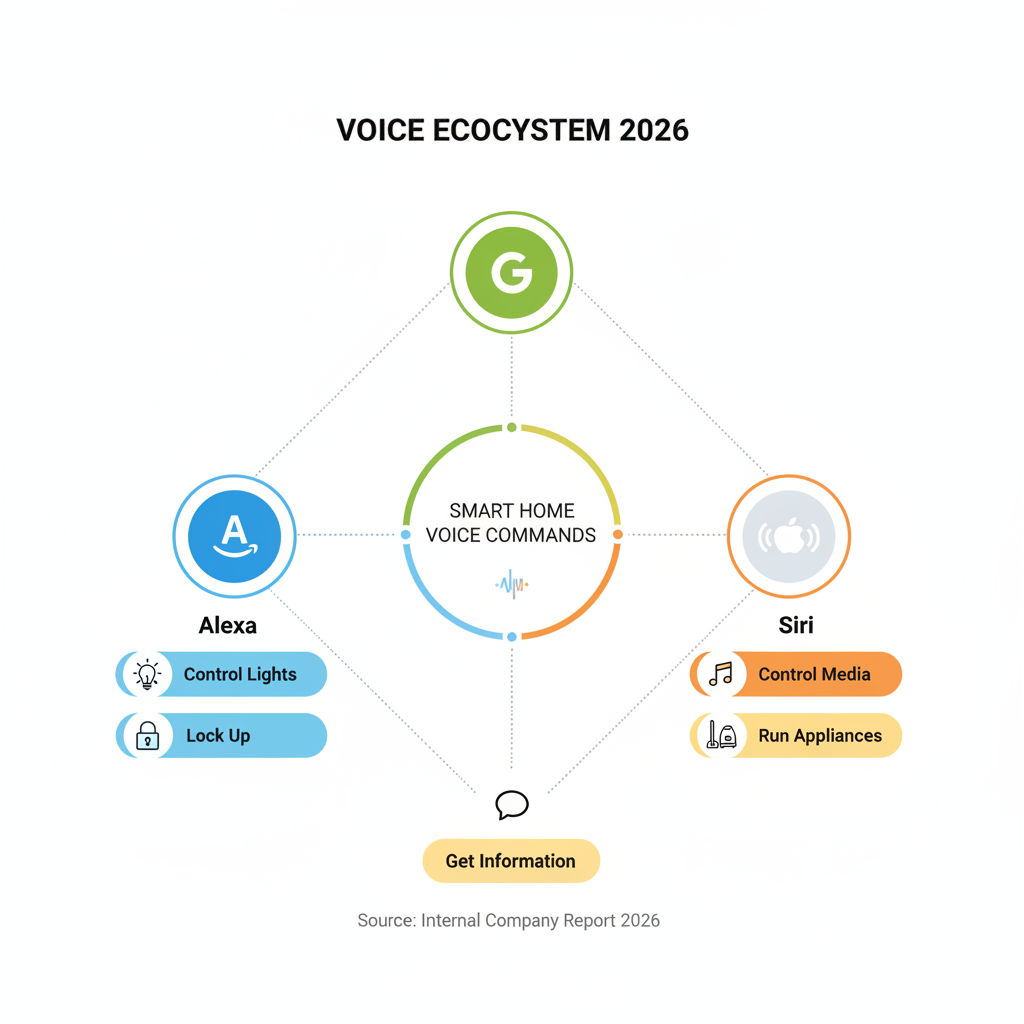
Quick answer: The most useful smart home voice commands include:
- Control lights – “Turn off the living room lights”
- Adjust climate – “Set the thermostat to 72 degrees”
- Lock up – “Lock the front door”
- Start routines – “Good night” (turns off lights, locks doors, arms security)
- Control media – “Play jazz music in the kitchen”
- Run appliances – “Start the robot vacuum”
- Get information – “What’s the weather today?”
The three major platforms — Amazon Alexa, Google Assistant, and Apple Siri — each support thousands of compatible devices and can handle these commands out of the box.
Managing a household is a constant juggling act. Wet hands, full arms, kids calling from another room — and you still need to dim the lights, check who’s at the door, or turn down the heat. That’s exactly the problem voice control solves.
One spoken phrase like “I’m home” can trigger a chain reaction: lights turn on, the thermostat adjusts, the shades open, and your playlist starts. No tapping through apps. No hunting for remotes.
72% of people who own voice-activated speakers use them as part of their daily routine — and it’s easy to see why once you’ve set up even a basic system.
But getting the most out of voice control takes more than just buying a smart speaker. Power users combine the right ecosystem, the right hardware, and the right command structure to build a truly seamless home.
This guide covers exactly that.
Benefits of Voice-Controlled Automation
When we talk about a smart home voice command, we aren’t just talking about a fancy way to play music. We are talking about a fundamental shift in how you interact with your living space. The benefits extend far beyond the “cool factor” of talking to your walls.
Energy Efficiency and Cost Savings
One of the most immediate perks is energy management. By integrating voice control with smart thermostats and lighting, you can ensure devices are only running when needed. Instead of walking to the hallway to check the heat, you can simply ask, “What’s the temperature?” and adjust it without leaving your bed. Systems like the Honeywell Wi-Fi Smart Thermostat even expand their vocabulary based on how you interact with them, making it easier over time to manage your climate efficiently.
Enhanced Home Security
Security is a major driver for voice adoption. You can use commands to lock the Schlage Smart Wifi Deadbolt or stream camera feeds to a smart display like the Nest Hub Max. For safety reasons, most systems (including Google and Alexa) will not allow you to disarm a security system by voice alone to prevent unauthorized access, but arming the system as you walk out the door with full hands is a lifesaver.
Accessibility and Assisted Living
For individuals with mobility issues, poor vision, or a general fear of complex technology, voice control provides a bridge to independence. In assisted living environments, Natural Language Processing for Smart Responses allows residents to control doors, lights, and even call for help without needing to navigate a smartphone app. It interprets casual phrases like “It’s cold in here” to automatically bump the heat up by 2 degrees.
Hands-Free Convenience
We’ve all been there—cooking dinner with messy hands when the doorbell rings. Voice commands allow you to check the porch camera, dim the kitchen lights for “dinner mode,” and start a “Cleaning” routine for your Shark robot vacuum all while your hands are busy. This ability to execute multi-device commands from a single phrase is the hallmark of a high-functioning smart home.
Top Ecosystems for Smart Home Voice Command
Choosing the right “brain” for your home is the first step. While many devices are cross-compatible, each major ecosystem has its own personality and strengths.

Amazon Alexa
Amazon’s Alexa is often considered the “undisputed queen” of the voice world. With tens of thousands of compatible devices and an ever-growing library of “Skills,” it offers the widest range of integration. Whether you are using a tiny Echo Pop or a high-end Echo Dot Max, the setup is generally straightforward. If you’re just starting, check out our guide on easy setup for alexa at home to get your hub running in minutes.
Google Assistant and Gemini for Home
Google Assistant is the “brainiac” of the group, excelling at handling complex, conversational queries. Google is currently transitioning toward Gemini for Home, an AI-powered evolution that allows for even more natural interactions. You can ask Gemini to “Explain the NASDAQ to a five-year-old” or “Find that song from the show where it was raining in old England,” and it will likely figure it out. For those moving from a basic setup, we have simple google home setup tips to help you optimize your Google ecosystem.
Apple Siri and HomeKit
Apple’s Siri is the go-to for users deeply embedded in the iPhone and Mac ecosystem. While it supports fewer third-party devices than Alexa, it prioritizes privacy and local processing. If you value data security and want a simple voice control for smart gadgets that works seamlessly with your Apple Watch and CarPlay, Siri is the top contender.
Comparing Smart Home Voice Command Assistants
| Feature | Amazon Alexa | Google Assistant / Gemini | Apple Siri |
|---|---|---|---|
| Compatibility | Highest (100k+ devices) | High (50k+ devices) | Moderate (HomeKit focus) |
| Natural Language | Good | Excellent | Good |
| Privacy Focus | Cloud-based | Cloud-based | High (Local focus) |
| Best Hardware | Echo Series | Nest Series | HomePod / HomePod mini |
| USP | Shopping & Skills | Search & AI Context | Ecosystem Privacy |
Customizing Your Smart Home Voice Command Experience
Power users don’t settle for “out of the box” settings. We recommend diving into best routines for smart assistants to create custom command strings.
- Personalized Scenes: Instead of saying “Turn off light 1, turn off light 2,” create a “Movie Night” scene that dims the Philips Hue bulbs, closes the Smart Wings shades, and turns on the Samsung Smart TV.
- Custom Wake Words: While most devices use “Alexa” or “Hey Google,” platforms like Home Assistant allow you to use “Hey Jarvis” or “Okay Nabu” for a more personalized feel.
- Multilingual Support: For diverse households, systems like Athom Homey or Home Assistant support dozens of languages, ensuring everyone in the house can be heard and understood.
Advanced Integration for Lights, Locks, and Climate
The true power of a smart home voice command is realized when your devices work together. Integration isn’t just about turning things on; it’s about creating an environment that responds to your needs.
Smart Lighting
Lighting is usually the “gateway drug” to home automation. Using a smart assistant for controlling lights like Philips Hue allows you to change colors, set brightness percentages, and even sync lights to your music or TV. Commands like “Set the bedroom lights to 20% warm white” create instant ambiance.
Climate Control
Smart thermostats from Honeywell or Nest allow for granular control. You can set schedules or use voice to override them when you’re feeling a chill. Advanced users can even use “Natural Language” triggers—saying “I’m freezing” can be programmed to raise the temperature by 5 degrees and turn on a smart plug connected to a space heater.
Security and Appliances
Integrating Schlage smart locks with your voice assistant means you never have to wonder if you locked the door at 2 AM. You can simply ask, “Is the front door locked?” Similarly, managing household chores becomes easier when you can tell your Shark robot vacuum to “Start spot cleaning in the kitchen” after a spill.
Media and Entertainment
Smart TVs from Samsung and LG, paired with sound systems like Sonos, create a voice-controlled theater. You can say “Play The Bear on Hulu” or “Skip forward 20 minutes” during a family viewing session. Sonos speakers, such as the Era 100 or the Beam (Gen 2), offer high-end audio that can be controlled via Alexa or Google Assistant, giving you the best of both worlds.
Privacy-First Control: Local vs. Cloud Systems
A common concern with smart home voice command technology is privacy. Most mainstream assistants (Alexa and Google) process your voice in the cloud. This means a recording of your command is sent to a server, processed, and sent back.
Local Processing with Home Assistant
For those who want absolute privacy, Home Assistant offers a “Year of the Voice” initiative focused on local control. Using the Voice Preview Edition hardware or an ESP32-based satellite, your voice never leaves your home network. This system uses a physical mute switch that cut power to the microphone, guaranteeing that nobody is listening when they shouldn’t be.
Josh.ai and Professional Systems
Josh.ai is another professional-grade option that prioritizes local processing and high-end security. Unlike mass-market DIY devices, these systems are often installed by professionals to ensure an encrypted, secure network. For more on keeping your data safe, check out our beginner-friendly voice assistant tips.
Why Local Matters
- Speed: Local commands don’t have to travel to a server and back, resulting in near-instant response times.
- Reliability: Your voice control still works even if your internet connection goes down.
- Security: Your private conversations stay within your four walls.
Best Hardware for Audio and Display in 2025
To get the best experience, you need hardware that can hear you clearly and sound great when responding. Here are the top picks for 2025 based on audio specs and user reviews.
Top Smart Speakers
- Google Nest Audio: Features a 75 mm woofer and 19 mm tweeter. It’s a fantastic mid-range option with a 4.6-star rating from over 1,800 users.
- Amazon Echo Dot Max: Includes a 2.5-inch woofer and four far-field microphones, ensuring it hears you even over loud music.
- Sonos Era 100: A powerhouse for music lovers, featuring two tweeters and a mid-woofer. It supports Alexa and can be integrated into a larger Sonos ecosystem.
- JBL Authentics 200: Unique because it supports both Alexa and Google Assistant simultaneously—perfect for households that can’t decide on one ecosystem.
Top Smart Displays
- Nest Hub Max: With a 10-inch touchscreen and a 30-watt woofer, this is the gold standard for kitchens. It has a 4.6-star rating from nearly 4,000 reviews.
- Amazon Echo Show 8 (3rd Gen): A compact but powerful display with a 4.8-star rating. It’s excellent for video calls and following recipes.
For a deeper dive into hardware, our smart speaker setup for beginners guide covers everything from unboxing to your first command.
Frequently Asked Questions about Smart Home Voice Control
Which voice assistant is best for privacy?
Apple’s Siri and the open-source Home Assistant are the leaders in privacy. Home Assistant’s “Assist” feature runs entirely on local hardware, meaning your data never touches the cloud. If you are using a mainstream device, look for a physical mute switch to ensure the microphone is off when not in use.
Can I control my smart home without an internet connection?
Standard Alexa and Google devices require an internet connection to process voice commands. However, local systems like Home Assistant or professional setups like Josh.ai allow for offline voice control of your lights, locks, and thermostats.
How do I create complex routines with multiple devices?
You can create routines in the Alexa or Google Home apps by selecting “Routines” or “Automations.” A single smart home voice command like “Good morning” can be programmed to:
- Turn on the coffee maker.
- Read the weather and news.
- Slowly brighten the bedroom lights.
- Adjust the thermostat to 70 degrees.
For even more advanced capabilities, platforms like Control4 allow for “Natural Language” triggers that understand context, such as “Turn on the TV in 20 minutes.”
Conclusion
The world of smart home voice command is evolving rapidly. We are moving away from simple “on/off” switches toward intelligent, conversational AI that truly understands the context of our lives. Whether you choose the massive ecosystem of Alexa, the AI brilliance of Google’s Gemini, or the privacy-first approach of Home Assistant, the goal is the same: making your home work for you.
At FinMoneyHub, we specialize in helping you master easy, complex command capabilities for all your digital devices. By combining the right hardware with smart routines, you can turn a house full of gadgets into a cohesive, responsive home.
Ready to take the next step? Explore our resources on best smart home assistants 2026 to stay ahead of the curve.
