
Detailed Reviews of the Top 10 Smart Home Control Apps
Why Your Smart Home Control App Makes or Breaks Your Setup
The right smart home control app can turn a frustrating tangle of separate device apps into one smooth, automated system. The wrong one leaves you juggling five apps just to turn off the lights.
Here are the top smart home control apps at a glance:
| App | Best For | Works Without Hub? | Platform |
|---|---|---|---|
| Home Assistant | Advanced users, privacy | No (needs hardware) | Android, iOS |
| Google Home | Google/Nest ecosystem | Yes | Android, iOS |
| Amazon Alexa | Voice control, broad compatibility | Yes (some devices) | Android, iOS |
| Samsung SmartThings | Multi-brand setups | Yes (some devices) | Android, iOS |
| Homey | Automation without coding | Yes (cloud devices) | Android, iOS |
| Apple Home | iOS/HomeKit users | Yes | iOS only |
| Controller for HomeKit | Power users on Apple | Yes | iOS only |
| Control4 | Professional installs | No | Android, iOS |
| Home Remote | AV and legacy systems | Yes | Android |
| Smart Home Controller | Simple Tuya devices | Yes | iOS |
Most people start with whatever app came with their first smart device. Then they buy a second brand. Then a third. Suddenly there are four separate apps on the phone and nothing talks to anything else.
This is called device fragmentation — and it’s the number one pain point for smart home users today.
The good news: a unified smart home control app can pull everything together. Whether you want basic on/off control or complex automations that respond to your location, time of day, and weather — there’s an app built for that.
Home Assistant alone integrates with over 3,400 services and 1,000+ brands, and is trusted by more than a million households worldwide. Google Home has over 1 billion downloads. The category is mature, competitive, and full of strong options.
This guide covers the top 10 apps in detail — what they do well, where they fall short, and who each one is right for.
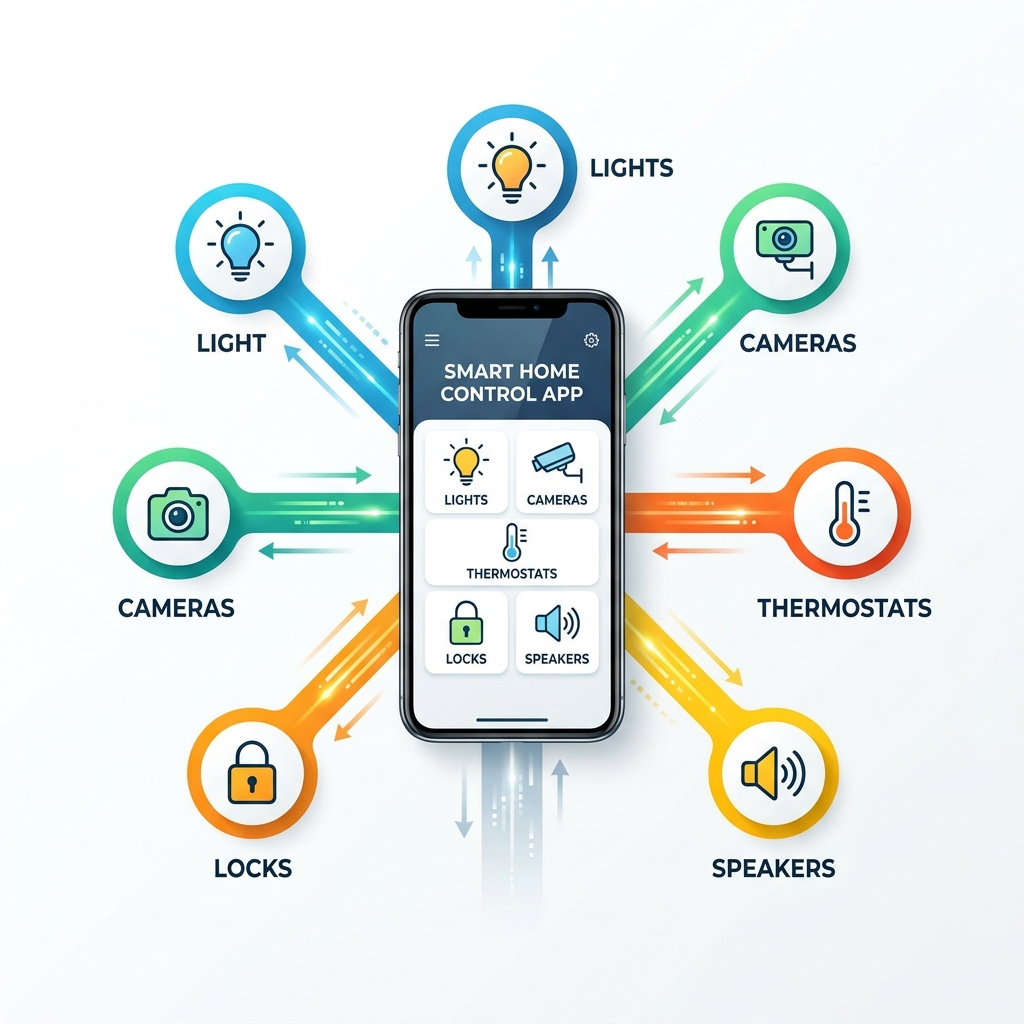
Key Features to Look for in a Smart Home Control App
When we go hunting for the perfect smart home control app, we aren’t just looking for a digital light switch. We want a command center. To find the best fit for your lifestyle, you need to weigh a few critical factors.
Automation Routines and Voice Control
The “smart” in smart home comes from automation. A top-tier app should allow you to create “If This, Then That” scenarios. For example, if your front door unlocks after 6:00 PM, the hallway lights should turn on. Voice control is equally vital; whether you prefer shouting at Alexa, Google, or Siri, your app needs to translate those words into action instantly.
The Matter Protocol and Device Compatibility
Launched in late 2022, Matter is the new universal standard for smart homes. It allows devices from different brands to talk to each other locally. When choosing an app, check if it supports Matter to future-proof your setup. Beyond Matter, look for broad compatibility with brands like Philips Hue, Sonos, Nest, and Tuya.
User Interface: Cloud vs. Local
This is a big one. Cloud-based apps (like Alexa or Google Home) are easy to set up but depend on your internet connection. If the cloud goes down, your “smart” house becomes “dumb.” Local-control apps (like Home Assistant) process everything inside your house. They are faster, more private, and work even if your internet is out.
| Feature | Cloud-Based Apps | Local-Control Apps |
|---|---|---|
| Setup Ease | Very Easy | Moderate to Difficult |
| Privacy | Data stored on servers | Data stays in your home |
| Reliability | Depends on Internet | Works offline |
| Speed | Slight latency | Near-instant |
For those just starting, we recommend checking out Smart Home Automation Apps for Beginners to get a feel for the basics before diving into complex local servers.
Top 10 smart home control app Recommendations
Selecting the right smart home control app depends on your technical comfort level and the devices you already own. Some excel at multi-room audio, while others focus on high-end energy management or security.

1. Home Assistant: The Power of Local Control
If you want total ownership of your data, Home Assistant is the gold standard. It is an open-source platform that prioritizes privacy and local control. Unlike big-tech apps, it doesn’t send your data to a corporate server to decide if your lights should turn on.
- Key Stats: Trusted by over 1 million households and supports 3,400+ integrations.
- Hardware: While the software is free, you’ll need a device to run it on, like the “Home Assistant Green” hub (approx. $100) or a Raspberry Pi.
- Best For: Power users who want to tinker and avoid “vendor lock-in.”
- App Link: Home Assistant – Apps on Google Play
One of its coolest features is the ability to use your phone’s sensors (like battery level or step count) as triggers for home automations. Imagine your house automatically turning off the heater when it sees your phone has left the geofence area.
2. Google Home: Best for Ecosystem Integration
With over 1 billion downloads, the Google Home app is a powerhouse. It’s the natural choice if you use Nest cameras, thermostats, or Google Nest speakers. The recent addition of Gemini AI allows for more natural language commands, making the “Hey Google” experience feel less robotic.
The app features a “Home” tab that groups devices by room, and a “Feed” that shows important events, like a person detected on your doorbell camera. However, users often complain about “ghost” devices appearing or routines occasionally failing after software updates.
3. Amazon Alexa: The Best Voice-First smart home control app
Alexa is widely considered to have the most accurate voice recognition. The Alexa app is excellent for building “Routines.” For instance, saying “Alexa, goodnight” can lock the doors, dim the lights, and start playing white noise.
Amazon has been a leader in Matter support, ensuring that most new devices you buy will work seamlessly. It also has built-in support for Zigbee on certain Echo devices, acting as a bridge for devices that don’t use Wi-Fi.
4. Samsung SmartThings: Versatile Brand Compatibility
SmartThings is the “Swiss Army Knife” of smart home apps. It has incredible reach, supporting everything from Tuya-powered bulbs to high-end Sonos speakers and Philips Hue bridges.
While it used to require a hub for everything, many devices now connect directly via the cloud. However, for the most stable experience and to use Zigbee or Z-Wave devices, the SmartThings Station or a compatible hub is still recommended. It’s particularly great for Samsung users, as it integrates deeply with Galaxy phones and TVs.
5. Homey: Advanced Automation Without the Code
Homey offers a “best of both worlds” approach. It provides the advanced logic of Home Assistant but uses a beautiful, “no-code” interface called “Flows.” You drag and drop cards to create complex rules.
- Device Support: Connects over 50,000 devices from 1,000+ brands.
- Privacy: They have a strict “no data selling” policy.
- Cost: There is a free tier for up to 5 devices, a Premium subscription for $2.99/mo, or the Homey Pro hub for those who want a one-time purchase with no monthly fees.
Homey is also excellent for real-time energy monitoring, helping you see exactly which appliance is eating up your electricity.
6. Apple Home: Seamless iOS Experience
For those firmly in the Apple ecosystem, the Apple Home app (using HomeKit) is hard to beat for speed and design. It organizes your home into Categories (Lights, Security, Climate) and Rooms, making it very intuitive.
Apple’s focus on security means that HomeKit-compatible devices often require a more rigorous certification process. This results in a more stable experience but sometimes higher device prices. If you’re just getting started with lighting, see our guide on Top Rated Smart Lighting Apps for Beginners.
7. Controller for HomeKit: Advanced Tools for Power Users
If the standard Apple Home app feels too basic, Controller for HomeKit is the upgrade you need. It offers features Apple forgot, like the ability to save “backups” of your home setup so you don’t lose your routines if a device resets.
- Unique Feature: It uses the LiDAR sensor on newer iPhones to create a 3D floor plan of your home. You can then tap on the 3D map to control your lights or see camera feeds.
- App Link: Controller for HomeKit App – App Store
8. Control4: Professional Grade Unified Control
Control4 is different from the others on this list because it usually requires professional installation. It is a high-end solution for large homes that need to manage complex multi-room audio, home theaters, and advanced security systems in one interface.
The smart home control app from Control4 is highly personalized. You can set “Routines” that go far beyond simple schedules, like a “Wake Up” scene that slowly raises the motorized shades, warms the bathroom floor, and starts the morning news.
9. Home Remote: The Universal Dashboard
Home Remote is a favorite for those who want a custom-designed dashboard. It supports a massive range of devices, from modern Philips Hue bulbs to legacy AV receivers from Denon or Yamaha.
Unlike subscription-based apps, Home Remote offers a “Pro” version as a one-time purchase. It also includes a “Designer” tool for your PC, allowing you to create a completely custom interface for a wall-mounted tablet.
- App Link: Home Remote
10. Smart Home Controller: Simple Tuya Management
Sometimes, you don’t want a complex ecosystem; you just want an app that works with the affordable smart plugs and bulbs you bought online. Many of these “no-name” devices use Tuya or Smart Life technology.
The Smart Home Controller app provides a clean, no-frills interface for these devices. It supports over 64 languages and focuses on single-tap controls. For more simple lighting solutions, check out Top Rated Smart Lighting Apps for Beginners 2.
Choosing Between Cloud-Based and Local Smart Home Control Apps
One of the biggest decisions we face is where the “brain” of our home lives.
Cloud-Based Apps (Alexa, Google Home) are essentially “renting” a brain from a giant data center.
- Pros: Easy setup, accessible from anywhere, usually free.
- Cons: If your internet dies, your automations die. There are also valid privacy concerns regarding how much data these companies collect about your daily habits.
Local-Control Apps (Home Assistant, Hubitat) keep the “brain” inside a small box in your living room.
- Pros: Near-instant response times (no latency), works without internet, and maximum privacy. Data is encrypted and stays with you.
- Cons: Higher upfront cost for hardware and a steeper learning curve for setup.
Frequently Asked Questions about Smart Home Control Apps
Do I need a hub for every smart home control app?
Not necessarily! Many modern devices connect directly to your Wi-Fi and can be controlled via the cloud without a hub. However, if you want to use Zigbee or Z-Wave devices (which use less power and don’t clog up your Wi-Fi), you will need a hub like Home Assistant Green, Homey Bridge, or a SmartThings Station.
Which smart home control app is best for beginners?
For most beginners, Amazon Alexa or Google Home are the best starting points. They offer easy “plug-and-play” setup walkthroughs and allow you to use your phone’s widgets for quick access. If you are an iPhone user, Apple Home is equally beginner-friendly.
How does the Matter protocol affect my app choice?
Matter is a game-changer. It means you no longer have to worry if a lightbulb says “Works with Alexa” or “Works with Google.” If it has the Matter logo, it will work with any smart home control app that supports the standard. This makes it much easier to switch apps later without having to replace all your hardware.
Conclusion
At FinMoneyHub, we believe that technology should serve you, not the other way around. Choosing the right smart home control app is the first step toward a home that anticipates your needs. Whether you want the simplicity of a single-tap Tuya controller or the infinite complexity of Home Assistant’s local automations, there is a solution that fits your home and your budget.
By focusing on future-proofing with Matter and prioritizing either ease of use or data privacy, you can build a system that lasts for years. Ready to take the next step in your digital journey? Explore our resources on Smart Assistant Routines to learn how to master complex commands for all your digital devices.
