
Stop Fumbling in the Dark with These Genius Lighting Ideas
Why Smart Lighting Automation Routines Are the Upgrade Your Home Actually Needs
Smart lighting automation routines are pre-programmed sequences that tell your lights exactly what to do — and when to do it — without you lifting a finger.
Here’s a quick look at the most popular routines people set up:
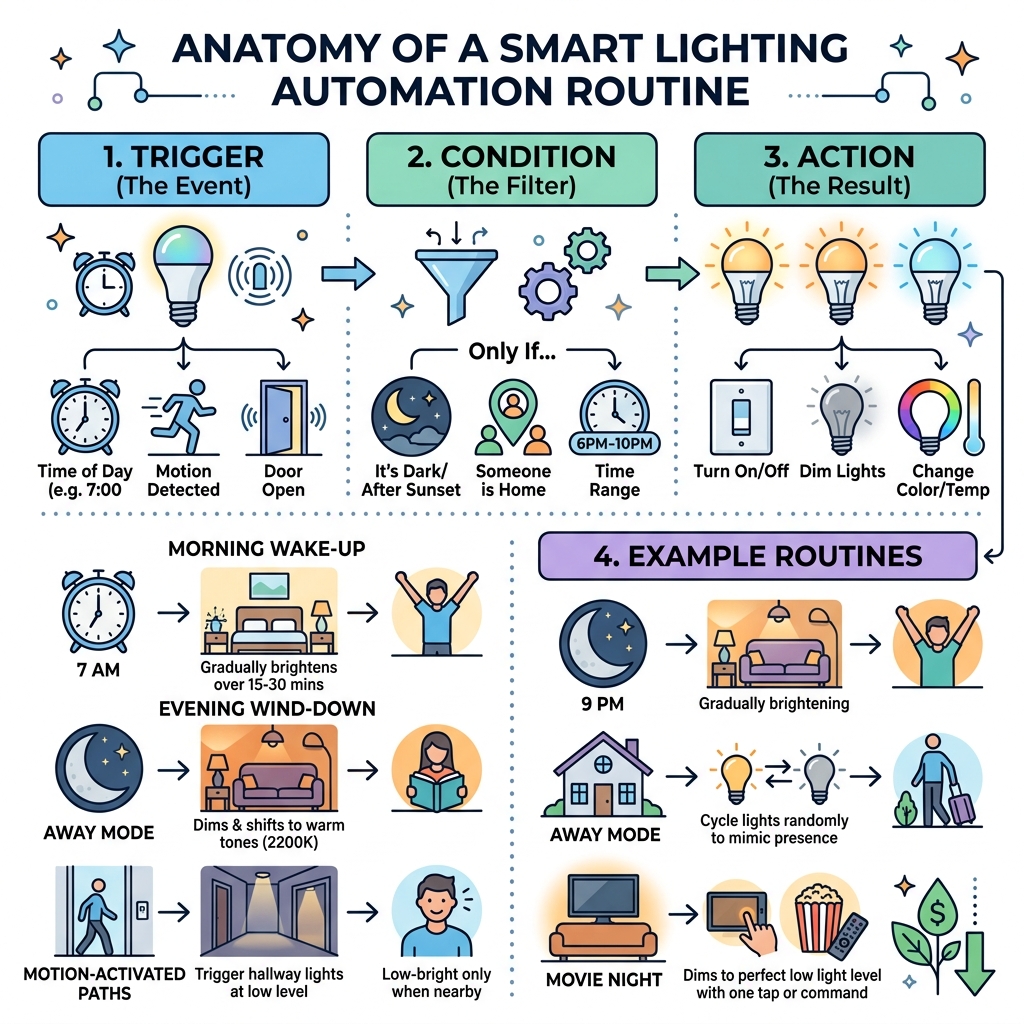
- Morning wake-up – Lights gradually brighten over 15-30 minutes to simulate sunrise
- Evening wind-down – Lights dim and shift to warm tones (around 2200K) to support sleep
- Away mode – Lights turn off automatically when you leave, or cycle on/off to mimic occupancy
- Motion-activated paths – Hallway or stair lights trigger only when someone is nearby
- Movie night – Living room dims to a low, warm glow with one tap or voice command
Think about this for a second: you wake up, and your bedroom lights are already gently brightening. You leave for work, and everything shuts off on its own. You get home late, and soft ambient light greets you at the door. No buttons. No app. No voice command. It just happens.
That’s the difference between owning smart bulbs and actually having a smart home.
Most people stop at buying a smart bulb and controlling it from their phone. That’s not automation — that’s just a remote control. Real smart lighting routines chain together triggers, conditions, and actions so your home responds to your life, not the other way around.
Studies and smart home data back this up: automated lighting control can cut energy waste and reduce utility bills by 20-30%. And the convenience payoff is immediate.
Whether you’re drowning in manual device control or just tired of fumbling for switches in the dark, the routines in this guide will change how you experience your home.
What Are Smart Lighting Automation Routines?
At their core, smart lighting automation routines are the “brains” behind your bulbs. While a standard smart bulb allows you to turn a light on or off using your phone, a routine is a series of automated actions triggered by a specific event. This could be a time of day, a motion sensor being tripped, or even your physical location.
For those just starting out, Understanding Smart Light Scheduling for Beginners is the first step. Scheduling is the simplest form of automation—telling a light to turn on at 7:00 PM every night. However, true routines go further by incorporating “if-this-then-that” logic. For example, “If the front door opens AND it is after sunset, THEN turn on the hallway lights to 50% brightness.”
| Feature | Basic Smart Bulbs | Automated Routines |
|---|---|---|
| Control | Manual (App/Voice) | Automatic (Trigger-based) |
| Complexity | Single device | Multi-device sequences |
| Effort | Requires user input | “Set it and forget it” |
| Intelligence | Responds to commands | Responds to environment/habits |
The Difference Between Tech and Routines
It is easy to confuse smart technology with smart routines. Think of the hardware—the bulbs, plugs, and switches—as the instruments in an orchestra. The smart lighting automation routines are the conductor.
Technology refers to the physical capability of a device to connect to the internet. A routine, however, is the sequence of actions those devices perform. You might have the best tech in the world, but without Simple Home Automation Routines 2, you’re still doing all the heavy lifting yourself. Routines allow for multi-step transitions, such as fading lights from a cool white to a warm amber over the course of an hour as you prepare for bed.
Why Your Home Needs Smart Lighting Automation Routines
The benefits of automation extend far beyond just feeling like you live in a sci-fi movie.
- Energy Efficiency: We’ve all left the kitchen lights on by accident. Routines that use motion sensors or “all-off” commands when you leave the house can lead to significant savings.
- Enhanced Security: Vacation modes can mimic occupancy by turning lights on and off in different rooms at random intervals, making it look like someone is home even when you’re miles away.
- Hands-Free Living: When you’re carrying groceries into the house, having the entryway light up automatically isn’t just a luxury—it’s a safety feature.
By implementing Smart Home Scheduling for Beginners 2, you create a home that anticipates your needs, reducing the mental load of managing your environment.
Essential Hardware and Software Components
To build a robust system, you need more than just a handful of bulbs. You need a foundation that allows devices to talk to one another reliably.
Hardware: The Foundation
For a whole-home setup, we often recommend mesh networks. Unlike standard Wi-Fi, where every bulb competes for bandwidth from your router, a mesh network (like Zigbee or Thread)) becomes stronger with every device you add.
Essential hardware includes:
- Smart Hubs/Bridges: These act as the central translator for your devices.
- Smart Switches: These are often better than bulbs because they allow you to control “dumb” bulbs and ensure that if someone flips the physical wall switch, your automation doesn’t break.
- Sensors: Motion and presence sensors are the “eyes” of your routines.
If you’re overwhelmed by the choices, Finding the Best Beginner Friendly Smart Lighting can help narrow down the field. Many people find that Choosing the Best Starter Smart Lighting Kits is the most cost-effective way to get the necessary hub and bulbs in one go.
Software and Smart Lighting Automation Routines
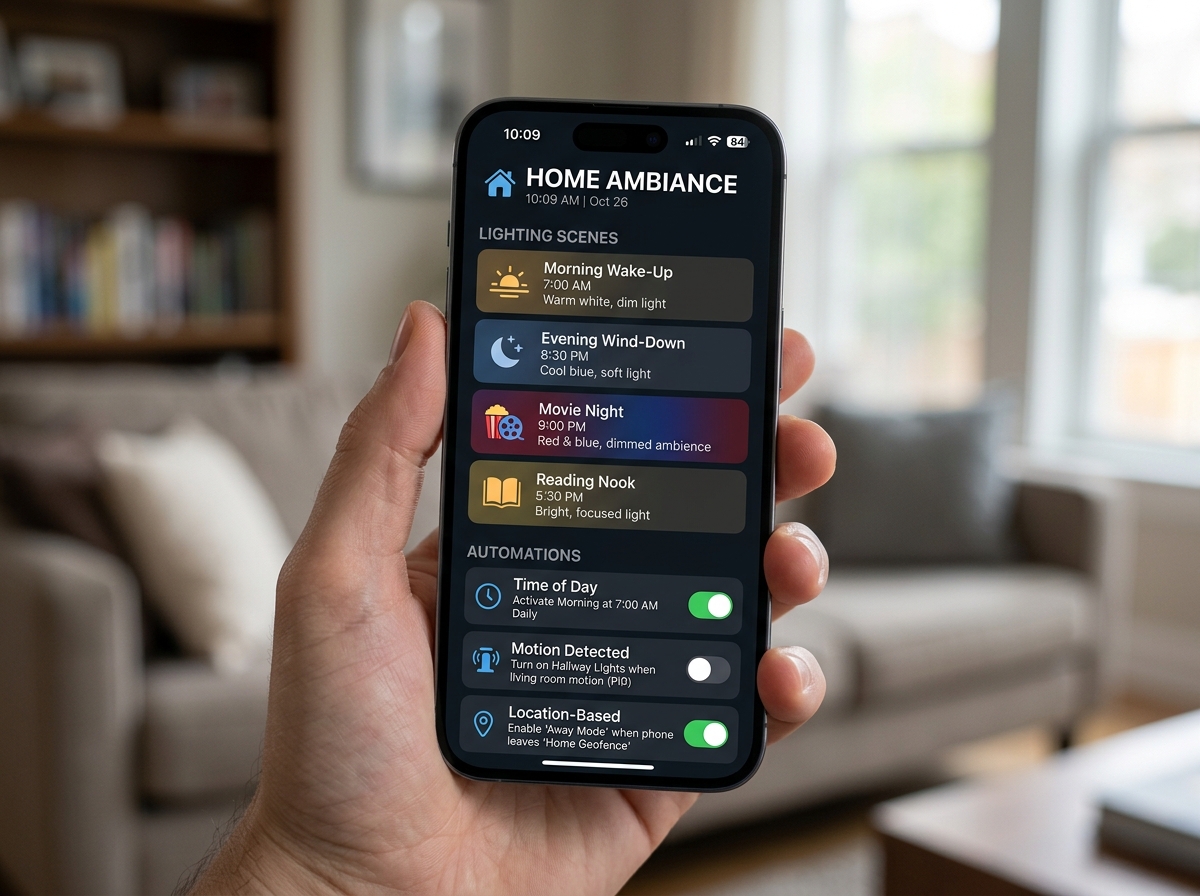
The hardware is the body, but the software is the mind. Most users will interact with their routines through dedicated apps or smart assistants like Alexa or Google Home. These platforms allow you to create “scenes”—pre-set configurations of brightness and color—and then trigger them through routines.
Using a Smart Assistant for Controlling Lights is the most common way to bridge different brands of hardware. We specialize in providing resources for Top Rated Smart Lighting Apps for Beginners, ensuring you have the “complex command” capabilities needed to make your home truly intelligent.
Advanced Sensors and Triggers
For those looking to level up, look into mmWave technology. Traditional PIR (Passive Infrared) sensors only detect major movements. If you’re sitting still reading a book, the lights might turn off. mmWave sensors can detect “presence” through micro-movements like breathing, ensuring the lights stay on as long as you are in the room.
Other triggers include geofencing, which uses your phone’s GPS to trigger an “I’m home” routine when you enter a 100-meter radius of your house. You can even try some Easy DIY Smart Lighting Projects You Can Try at Home to integrate door sensors that trigger specific lighting scenes the moment a cabinet or closet is opened.
Top Genius Lighting Routines for Daily Life
Now, let’s get into the fun part: the actual routines that will change your daily life. Setting up Simple Home Automation Routines is the quickest way to see an immediate return on your investment.
The Ultimate Morning Smart Lighting Automation Routines
Waking up to a blaring alarm in a pitch-black room is a recipe for grogginess. Research shows that wake-up lighting—gradually brightening lights over 15 to 30 minutes—helps users feel more refreshed.
A “Sunrise Routine” typically looks like this:
- 30 Minutes Before Wake-up: Lights turn on at 1% brightness with a very warm, orange hue (around 2000K).
- 15 Minutes Before: Brightness increases to 40%, shifting toward a neutral white.
- Wake-up Time: Lights reach 80-100% brightness at a cool, daylight temperature (4000K-5000K).
This mimics the natural sun, signaling your body to stop producing melatonin and start waking up. You can easily set these up using Easy Smart Assistant Routines.
Evening Wind-Down and Sleep Support
Just as light can wake you up, it can also prepare you for deep sleep. Blue light suppresses melatonin production, which is why your phone has a “night mode.” Your house should have one, too!
In the evening, your smart lighting automation routines should focus on:
- Warm Tones: Shifting lights to 2200K-2700K (the color of a candle or sunset).
- Gradual Dimming: Reducing brightness to 20-30% starting an hour before bed.
- Night Light Mode: Setting hallway lights to 1-5% brightness after 11:00 PM to assist with midnight snack runs without fully waking your brain.
Check out these Helpful Tips for Smart Light Dimming to ensure your bulbs don’t flicker or “jump” when transitioning between these low levels.
Security and Energy-Saving Scenarios
Smart routines are your best defense against high utility bills and intruders.
- Energy Savings: Automated routines can achieve up to 30% energy savings. By using presence sensors in rooms like the basement, garage, or laundry room, you ensure lights are only on when they need to be.
- Mimic Presence: If you’re away, don’t just leave one light on. A “Vacation Routine” can turn the living room lights on at 6:00 PM, switch them off at 10:00 PM, and then briefly turn on the bedroom lights, mimicking a real person’s evening flow.
Implementing Smart Home Scheduling for Beginners is a great way to start, and for more complex needs, the Best Routines for Smart Assistants can help you integrate cameras and sensors into your lighting security.
Troubleshooting and Future Trends
Even the best systems can hit a snag. Whether it’s a bulb that won’t connect or a routine that triggers at the wrong time, troubleshooting is part of the process.
Common Setup Mistakes to Avoid
One of the biggest mistakes beginners make is not adding time conditions. If you have a motion sensor in the hallway, you want it to turn the lights on to 100% during the day, but only 10% at night. Without a time condition, you’ll be blinded during a 2:00 AM trip to the bathroom.
Other common issues include:
- Short Timeouts: Setting a motion sensor to turn off after 30 seconds can leave you in the dark if you’re just standing still. Aim for 2-5 minutes.
- Conflicting Automations: Ensure two different routines aren’t trying to control the same light at the same time.
- Sensor Placement: Don’t put PIR sensors near heat sources like ovens or heaters, as this can cause “ghost” triggers.
For those in smaller spaces, Adaptive Smart Lighting Solutions for Small Homes offers specific tips on sensor placement to avoid accidental triggers from pets or nearby hallways.
The Future of Predictive Lighting
We are moving toward a world where you won’t even have to program your routines. AI and machine learning are beginning to detect user patterns. If you consistently turn the kitchen lights to a certain brightness at 6:00 AM, future systems will suggest an automation for you.
Introduction to Voice Controlled Smart Lights was just the beginning. The next generation of lighting will be “invisible”—it will simply know where you are and what you need based on the time of day and your historical habits.
Frequently Asked Questions about Smart Lighting
How do routines differ from simple schedules?
A schedule is a “dumb” timer (e.g., On at 8 AM, Off at 10 PM). A routine is a multi-step sequence that can include conditions. For example, a routine can check if you are home, what the weather is like, and whether another device is on before deciding to change the lights. For more inspiration, see these Simple and Creative Smart Home Lighting Ideas.
Can smart lighting really lower my utility bills?
Yes! By automatically turning off unused lighting and using dimming functions, most households see a 20-30% reduction in lighting-related energy costs. You can find many Affordable and High Quality Smart Lighting Options that pay for themselves in energy savings within the first year.
Do I need a professional to set these up?
For most people, smart lighting is a very achievable DIY project. Modern apps are designed to be user-friendly. However, if you are looking for complex, whole-home integration that involves rewiring switches or integrating with high-end security systems, a professional installer (like those with CEDIA certification) can ensure long-term system reliability.
If you’re just starting, Unveiling the Best Smart Lighting Options for Beginners is a great place to see what you can handle on your own.
Conclusion
At FinMoneyHub, we believe that technology should serve you, not the other way around. By mastering smart lighting automation routines, you’re not just buying gadgets; you’re reclaiming your time and enhancing your well-being. From waking up naturally to saving money on your monthly bills, the power of a well-programmed home is undeniable.
Our mission is to provide you with the resources and complex command capabilities needed to navigate the digital lifestyle with ease. Whether you are looking for the best hardware or the smartest software tricks, we are here to help you stop fumbling in the dark.
Ready to light up your life? Explore more at FinMoneyHub Smart Lighting and start building your genius home today.
