
Your Quick Guide to Smart Devices Home Automation
Smart devices home automation lets you control your lights, thermostat, locks, cameras, and more — all from one app or a simple voice command.
Here are the most popular smart home device categories to get you started:
| Area | Essential Smart Devices |
|---|---|
| Front Door | Video doorbell, smart lock, security camera |
| Living Room | Smart speaker, smart bulbs, smart plug, thermostat |
| Kitchen | Smart display, robot vacuum, smart appliances |
| Bedroom | Smart thermostat, air purifier, smart lighting |
| Garage | Smart garage hub, in-garage delivery |
| Backyard | Smart sprinkler, robot mower, outdoor smart lights |
Top protocols to know: Matter, Z-Wave, Zigbee, and Thread.
Top voice assistant platforms: Amazon Alexa, Google Assistant, and Apple Siri/HomeKit.
So your lights stay on when they shouldn’t, your thermostat runs all day while you’re at the office, and you’ve got four different apps just to control your own home. Sound familiar?
You’re not alone. Managing a growing collection of smart gadgets can feel more complicated than it should — especially when devices don’t talk to each other, routines break down, or setup takes a whole weekend.
The good news? The smart home space has matured a lot. There are now clear options for every budget, every home size, and every level of tech comfort — from simple plug-and-play gadgets to fully integrated whole-home systems.
This guide breaks down the best smart home devices by room, explains which ecosystems actually work together, and helps you figure out the setup that fits your routine — not someone else’s.

Understanding Smart Devices Home Automation and Its Benefits
When we talk about smart devices home automation, we aren’t just talking about fancy gadgets; we’re talking about a lifestyle shift. At its core, home automation is the residential extension of building automation. It involves the control and automation of lighting, heating, ventilation, air conditioning (HVAC), and security. But for us as homeowners, the real magic lies in the benefits.
Efficiency and Massive Savings
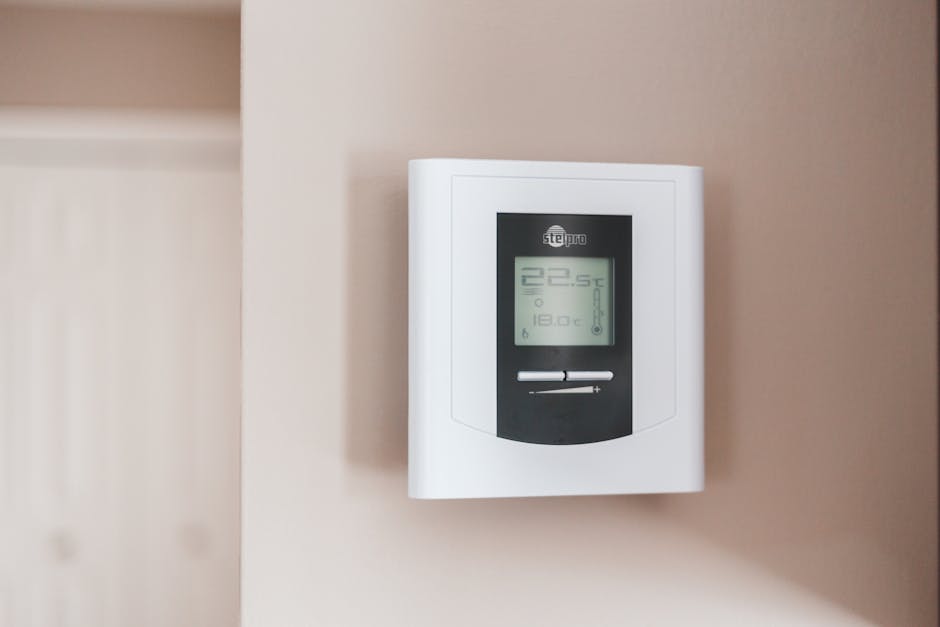
One of the most immediate perks is energy efficiency. Modern Wi-Fi-enabled smart thermostats | ecobee are designed to learn your habits. Research shows that these devices can save users up to 26% on annual heating and cooling costs. Instead of keeping your home at a static 72 degrees while you’re at work, these devices detect when the house is empty and adjust accordingly. Over time, a smart thermostat can literally pay for itself in under a year.
Security and Peace of Mind
Beyond the wallet, there’s the “peace of mind” factor. Remote monitoring allows you to check if you locked the front door or turned off the oven from anywhere in the world. Many insurance companies now offer incentives or premium discounts for homes equipped with smart leak detectors and integrated security systems. If a pipe bursts while you’re on vacation, a smart sensor can alert you instantly, preventing thousands of dollars in water damage.
Lifestyle Integration
We believe automation should work for you, not make you work for it. By setting up Simple Home Automation Routines, you can synchronize your home to your biological clock. Imagine the blinds opening slowly at sunrise, the coffee maker starting as your alarm goes off, and the thermostat warming the bathroom floor just before you step in. This level of personalization increases property value and, more importantly, makes your daily life smoother.
Essential Smart Devices for Every Area of Your Home
To build a truly functional automated home, it helps to think room-by-room. Each area has different environmental needs and hardware requirements. For instance, while a smart bulb works the same in a bedroom as it does in a kitchen, a “smart” kitchen requires appliances that can handle moisture and heat, whereas a backyard device needs rugged weatherproofing.
If you’re just starting out, we recommend checking out Easy Smart Appliance Automation to see how simple plugs can transform “dumb” appliances into connected ones.
Optimizing Your Living Room with Smart Devices Home Automation
The living room is the heart of the home and usually the “command center.” This is where smart speakers and displays live. By integrating smart lighting, you can create “Scenes.”
A “Movie Night” scene might dim the lights to 10%, close the automated blinds, and turn on the soundbar with a single command. We’ve found that using Simple Home Automation Routines 2 can help manage these complex layers of mood lighting and entertainment systems without needing to fiddle with multiple remotes.
Enhancing the Kitchen and Bedroom Experience
In the kitchen, smart displays are the ultimate sous-chef, showing recipes, setting multiple timers, and even displaying your doorbell camera feed while you prep dinner.
In the bedroom, automation focuses on health and sleep quality. According to the CDC, the ideal sleeping temperature for most people is between 65 and 68 degrees Fahrenheit. Using a Smart Thermostat Premium | ecobee, you can set a schedule that cools the room exactly when you head to bed and warms it up just before your feet hit the floor.
Pair this with air quality monitors and smart scales that track up to 14 health metrics (like BMI and heart rate), and your bedroom becomes a wellness hub. For more on this, explore Easy Smart Appliance Automation 2 for bedroom-specific tips.
Automating the Garage and Backyard
Don’t neglect the exterior! The Rachio 3 Smart Sprinkler Controller | Rachio is a game-changer for lawn care, potentially saving you 20% or more on your water bill by skipping cycles based on live weather forecasts.
For the lawn itself, robot mowers like the Segway Navimow can handle up to 2.5 acres daily, leaving you more time for the weekend. In the garage, smart hubs offer compatibility for almost any opener made after 1993, allowing for secure in-garage package deliveries to prevent porch piracy. If you’re a fan of “doing it yourself,” we have a guide on Easy DIY Home Automation Projects 2 that covers these outdoor upgrades.
| Requirement | Indoor Devices | Outdoor Devices |
|---|---|---|
| Power Source | Mostly Plug-in | Battery or Solar Preferred |
| Durability | Standard Plastic | IP65+ Weatherproofing |
| Connectivity | Standard Wi-Fi/Zigbee | Z-Wave Long Range or Mesh |
| Maintenance | Low (Dusting) | High (Cleaning lenses/debris) |
Navigating Ecosystems and Protocols for Seamless Integration
The biggest hurdle in smart devices home automation is getting things to talk to each other. This is where “protocols” come in. Think of them as the languages your devices speak.
- Matter & Thread: These are the new kids on the block. Matter is a unifying standard backed by Apple, Google, and Amazon to ensure that if you see the logo, the device will work with your system.
- Z-Wave Long Range: This is a game-changer for large properties. It uses a “star topology” rather than a mesh, allowing for incredible range and supporting thousands of devices on a single network.
- Voice Assistants: Whether you prefer Alexa, Google Assistant, or Siri, your choice of platform will dictate which Smart Home Automation Apps for Beginners you’ll use most often.
For a rock-solid foundation, we often suggest looking at Smart Thermostats & Smart Home Devices | ecobee because they play well with almost every major ecosystem.
Choosing the Right Hub for Smart Devices Home Automation
A hub is the “brain” of your home. While many people use a smart speaker as a hub, dedicated hubs offer local processing. This means if your internet goes out, your light switches and motion sensors still work.
When picking a hub, consider the signal range and expansion capacity. If you plan on adding a hundred sensors over the next few years, you’ll want a system that supports a unified interface. You can find more inspiration on this in our Simple Smart Home Automation Ideas resource.
DIY vs. Professional Installation: Which is Right for You?
One of the most common questions we get is: “Can I do this myself?”
The answer depends on the complexity of your vision. Most modern gadgets are “plug-and-play.” You can easily handle Easy DIY Home Automation Projects like swapping a light bulb, setting up a camera, or installing a Smart Thermostat Essential | ecobee. These are cost-effective and great for renters or people who like to tinker.
However, if you want a whole-home system that involves rewiring your electrical panel, integrated home theater audio in every room, or complex security arrays, a professional integrator might be the better choice. They offer:
- Scalability: Systems designed to grow with your home.
- Technical Support: A single point of contact when things go wrong.
- Wiring Complexity: Handling the high-voltage stuff safely.
Frequently Asked Questions about Home Automation
How do smart devices contribute to home security and safety?
Smart devices provide a multi-layered defense. Video doorbells let you vet visitors before opening the door, while smart locks allow you to grant temporary “keys” to guests or contractors. Beyond intruders, safety sensors for leak detection and smoke monitoring provide real-time alerts to your phone, potentially stopping a disaster before it starts. Deterrent lighting can also be programmed to make the house look occupied while you’re away.
What are the key challenges when implementing smart home devices?
The main hurdles are Wi-Fi reliability and data privacy. A “cluttered” Wi-Fi network can cause devices to lag. We also recommend always reviewing privacy policies for devices with cameras or microphones. Other challenges include the initial cost of high-end gear and the need for occasional firmware updates or battery maintenance for wireless sensors.
How can I personalize smart technology for my lifestyle?
Personalization is where the fun starts! You can use “geofencing” to have your home react based on your GPS location (e.g., opening the garage as you turn onto your street). Adaptive learning allows thermostats to adjust based on your actual movements. You can even create personalized dashboards so that every family member has a custom view of the home’s controls on their tablet or phone.
Conclusion
At FinMoneyHub, we believe that the best smart devices home automation setup is the one you don’t have to think about. Our mission is to provide you with the resources to master complex command capabilities and digital device routines that actually fit your life. Whether you’re looking for energy savings, a more secure home, or just the luxury of a house that “knows” you, the technology is finally here to make it happen.
Ready to take the next step in your automation journey? Explore More info about smart home resources and start building a home that works for you.
